Files
Reads the delivery notes your suppliers already send
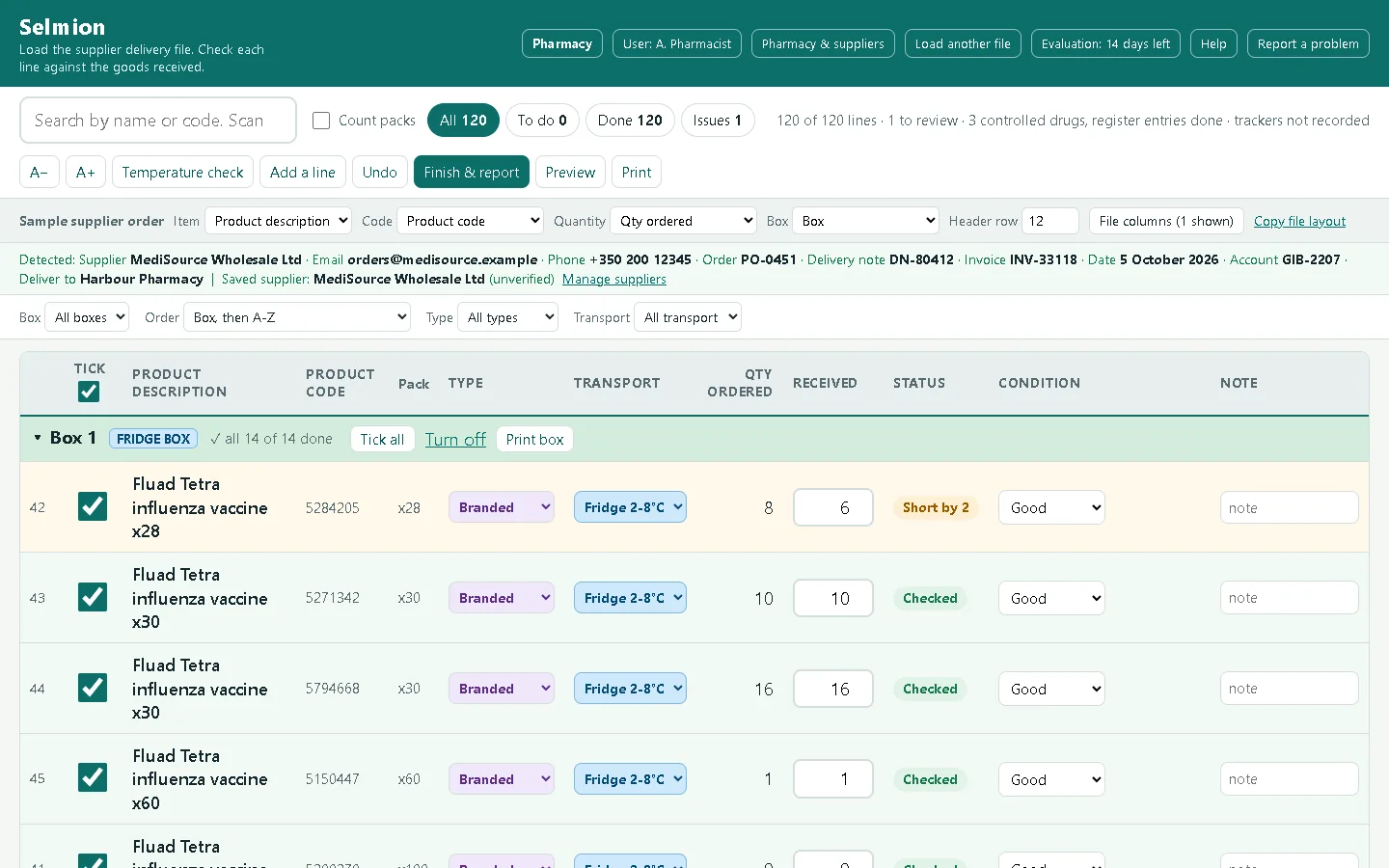
Excel, CSV and PDFs with selectable text. Column headings are read in seven European languages.
For pharmacies and suppliers
Selmion reads the delivery note your supplier already sends and turns it into a checklist. It marks fridge lines and controlled drugs, then drafts the message to the supplier when something is short or damaged.
Request a free demo See how it works
Runs in Microsoft Edge or Google Chrome from a single file. The free demo lasts 14 days and is for pharmacies and suppliers whose registration we can check.
Files
Excel, CSV and PDFs with selectable text. Column headings are read in seven European languages, and the layout is remembered for each supplier. The screens and Help are in English.
Cold chain
Marks fridge and cold lines and tells you which boxes to open first. Controlled drugs are shown with their schedule.
Data
Selmion's code makes no network connection. Data leaves the computer only when you copy, print, save a file or open an email you send yourself.
How it works
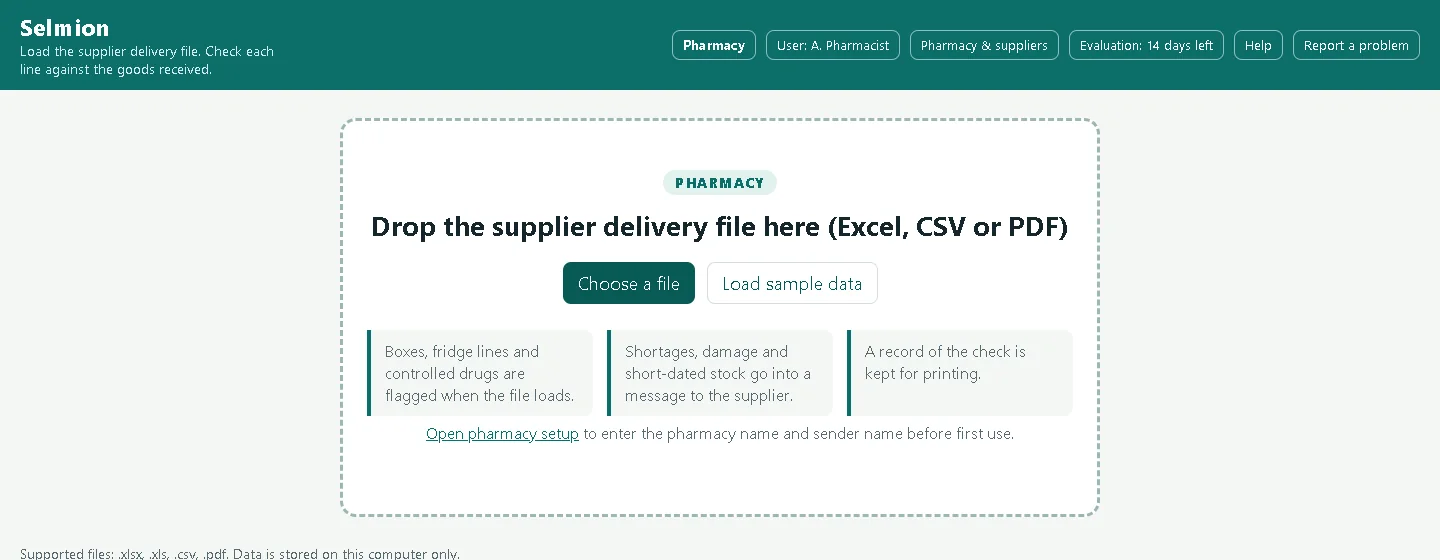
Drop the supplier's Excel, CSV or PDF onto the window. The lines appear, the columns are picked for you, and the layout is remembered next time.
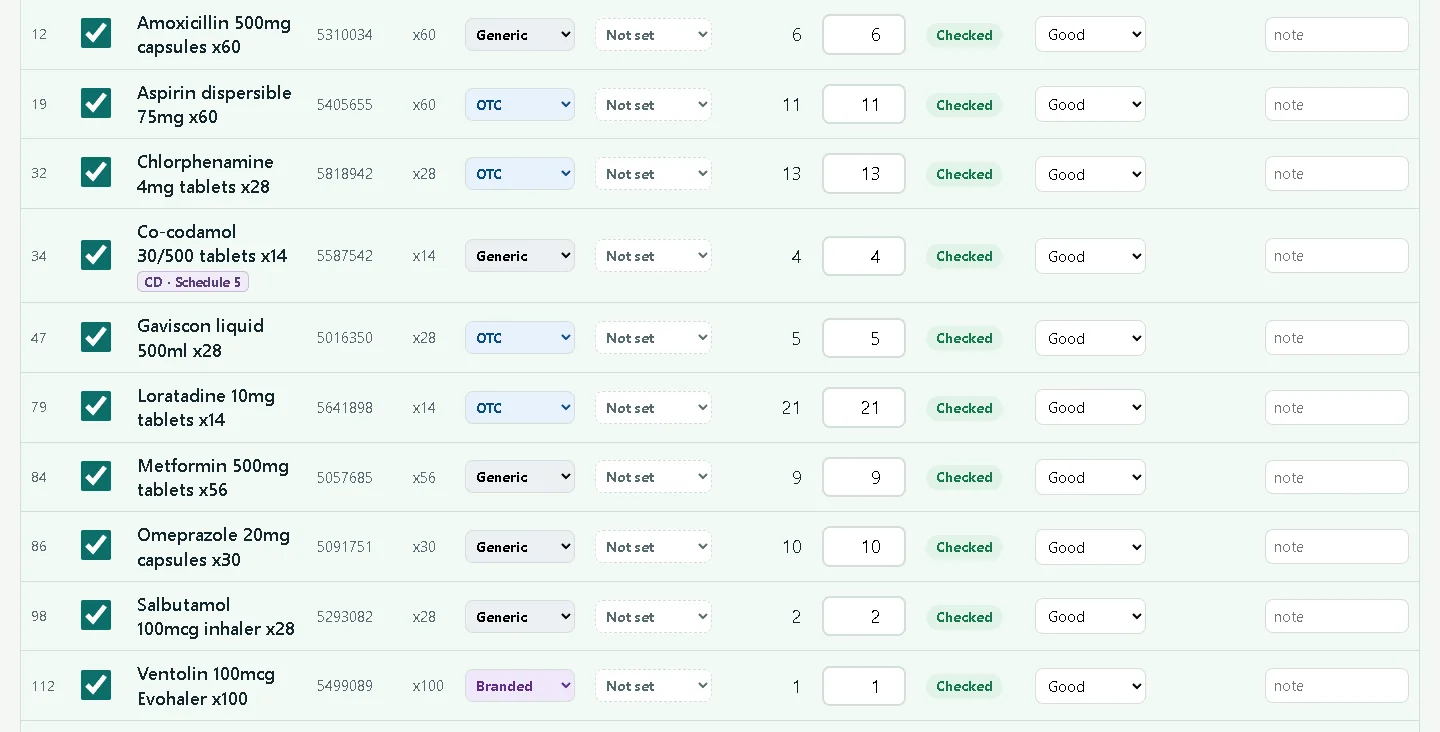
Tick each line as it comes out of the box, or scan its barcode with the scanner you already have. Fridge lines and controlled drugs are marked on the line.
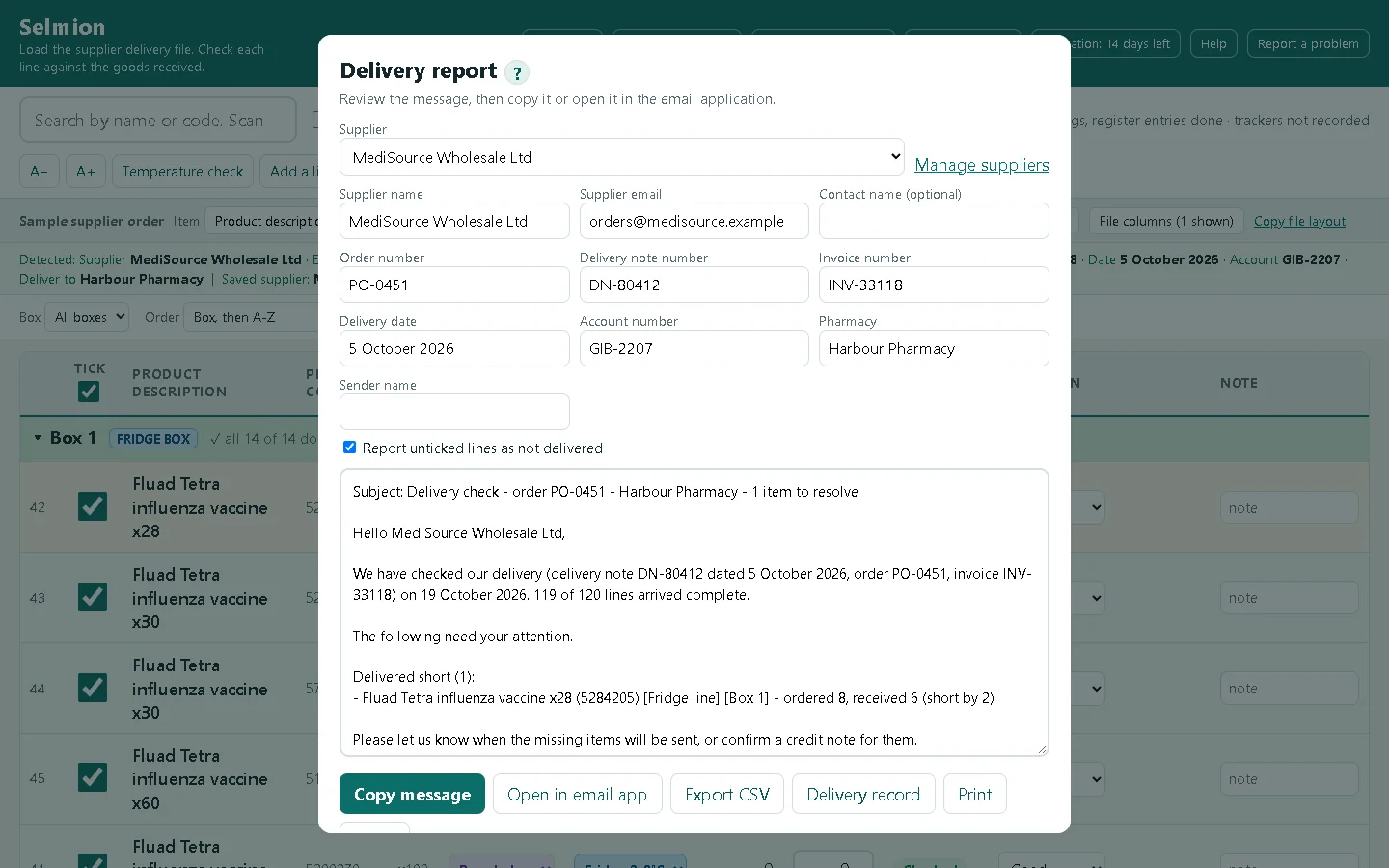
Shortages, damage and extra goods are gathered into an email drafted for the supplier, and a printable record for your file. You review the message and send it yourself.
Pharmacy edition
Files
Excel, CSV and PDFs with selectable text. Column headings are read in seven European languages.
Cold chain
Marks fridge and cold lines and tells you which boxes to open first.
Controlled drugs
Recognised against the Gibraltar schedules, with a register tick that records who and when. You confirm every one.
Scanner
Works with the barcode scanner you already have.
Supplier message
Drafts the email to the supplier and the record for your file. You send it.
Data
Selmion's code makes no network connection, and the browser is told to refuse any. Data leaves the computer only when you copy, print, save a file or open an email you send yourself.
And
Supplier edition
The same tool, switched to Supplier mode: check a customer's order before it leaves, with goods in and orders out in one file.
Scan or tick each line as it is packed, then write the message to the customer and keep the dispatch record.
The tote order can list fridge totes first, and a CHECK BOX warning marks a tote that holds fridge lines among other goods.
Column headings are read in seven European languages, and the layout is remembered for each customer.
Tested with a 20,000-line file, drawn a page at a time.
Not supplied, short or over, held back, short dated, and packed but not on the order.
A requisition tick and a supply-entry tick for Schedules 1, 2 and 2A, with who and when.
Limits
Your data
Selmion is one file that runs in your browser. Your deliveries, settings and licence are kept in that browser, on your computer, and nowhere else.
Price
Each licence covers one site, the premises where Selmion is used, on any number of computers there.
| Item | GBP | EUR | USD |
|---|---|---|---|
| Setup and licenceonce per site, either edition | £99 | €118 | $133 |
| Pharmacy editionper month | £29.99 | €35.99 | $39.99 |
| Pharmacy editionper year | £299 | €359 | $399 |
| Supplier editionper month | £49.99 | €59.99 | $66.99 |
| Supplier editionper year | £499 | €599 | $669 |
Free demo
The demo is a full copy of Selmion that names your business. To keep it from being copied around, we give it only to a business whose registration we can check.
Questions
Use the demo page. It writes an email for you to send. We check that your business is registered, then email you a demo copy that works for 14 days.
The demo licence is valid for 14 days from the day we issue it. After that Selmion keeps working for 7 more days, and then the key features lock until a licence file is loaded. The software calls a demo licence a pilot.
You can order at any time, with or without a demo. Write to us with the business, the edition and the plan, and we reply with an invoice. You pay by bank transfer in pounds, euros or US dollars, and we send the licence file as soon as the payment arrives. The website and demo terms and the Terms of Use apply.
Yes. A licence covers one site, the premises where Selmion is used, on any number of computers there. Each site needs its own licence.
Selmion reads delivery files with column headings in seven European languages, and its screens and Help are in English. Its controlled-drug flags follow the Gibraltar schedules, so they can differ from the rules where you are. Check every flag, and flag any controlled drug yourself that it has not.
You keep access until the end date shown in the Licence panel. A reminder appears 14 days before the end, and the software keeps working for 7 more days. Then the key features lock: loading files and PDFs, Finish & report, Print and Preview, the delivery record, Export CSV, Add a line and Recent deliveries.
You can still check lines that are already loaded, use Temperature check and report a problem. Load the renewed licence file and everything unlocks at once.
It checks a supplier's delivery list against the goods received, line by line. It flags shortages, damaged goods, fridge lines, short-dated stock and controlled drugs with their schedule, then prepares the message for the supplier and a printable record.
It has two interfaces, Pharmacy and Supplier, chosen when it is first used.
It runs in the browser from one file. Data stays on this computer unless a person chooses to copy, print, save a file or send an email.
Column headings in English, Spanish, French, German, Italian, Portuguese and Dutch are recognised, with or without accents. Delivery note, invoice and order numbers are picked up from the top of the file in the same languages.
CSV and text files can be UTF-8 or Windows-1252 and can use a comma, semicolon or tab between columns. Codes keep their leading zeros, and quantities written as 2,00 or 1.234,50 are read correctly.
The screens and the help are in English. If a column is not recognised (for example in Polish or Greek), choose it in the bar above the table. The choice is remembered for that file layout.
PDF files that contain selectable text. To check, open the PDF and select a line of text with the mouse. If the line highlights, the PDF can be read.
The tool reads tables that run over several pages, joins headings printed on two lines, ignores repeated page headings and stops at a not supplied section. Check the lines against the delivery note after loading a PDF.
A current version of Microsoft Edge or Google Chrome. Other browsers may show a Browser not supported message.
In this browser on this computer only. The tool makes no internet connection, and data leaves the computer only when a person chooses to copy, print, save a file or open an email. Progress, remembered layouts, settings and the licence are kept in the browser.
Selmion offers options at many points: the type and temperature class of a line, its condition, its box, the quantity received, controlled drug flags and register ticks, column mapping, whether to accept a suggestion or a default, which features are on, and what a message or record says. They are prepared to the best of our knowledge. That is not a guarantee of accuracy.
The user makes each choice and is responsible for it. Check every suggestion against the goods and the documents, and correct it where it is wrong. Before relying on Selmion for a delivery, select Help, then Show the tutorial, and read the entries that apply.
The full wording is in the terms of use, which open from the Licence panel.